You must be 18 or older. Each card covers one part of the site.
The home page marketplace shows galleries from members who chose I'm a seller and were approved. Open a set to view, rate, comment, or buy it.
Members who choose I'm posting for fun appear in their own section, separate from the marketplace. Verified users who are not selling are in this section too.
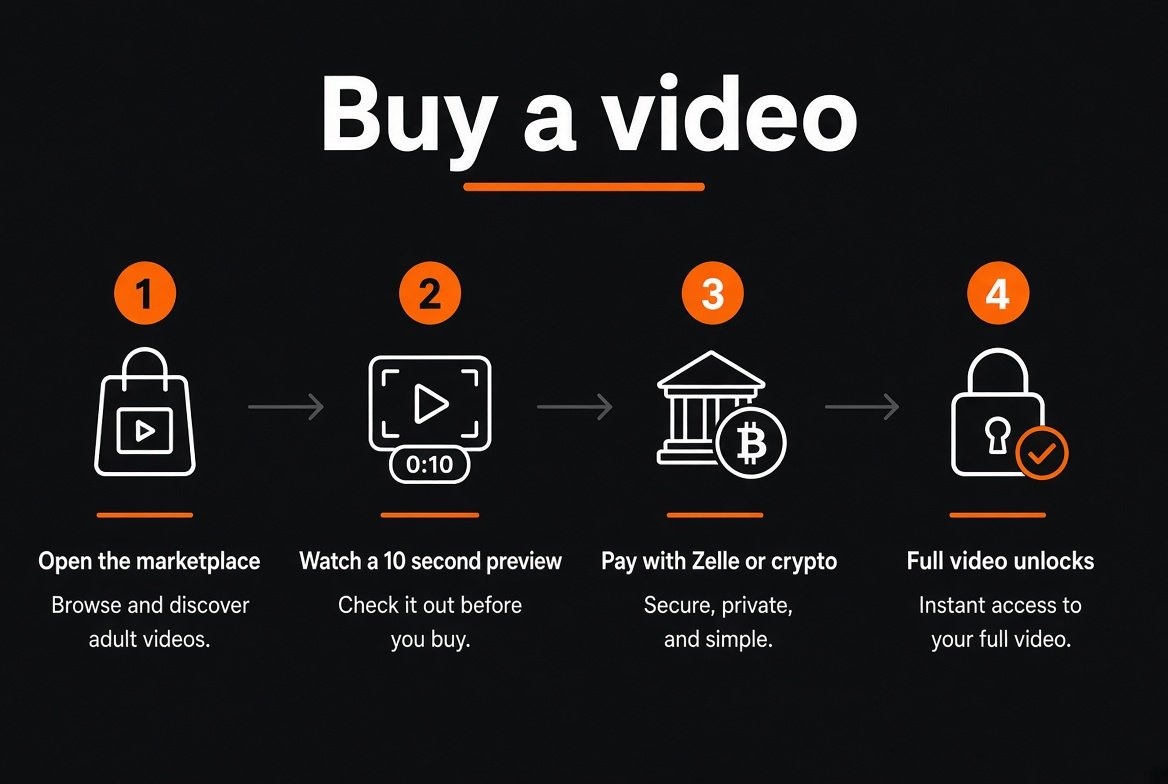
Priced videos live on their own page. Open one for a short preview, then buy that video by itself.
You get a 10 second preview. After that the player locks and shows the payment buttons that are turned on.
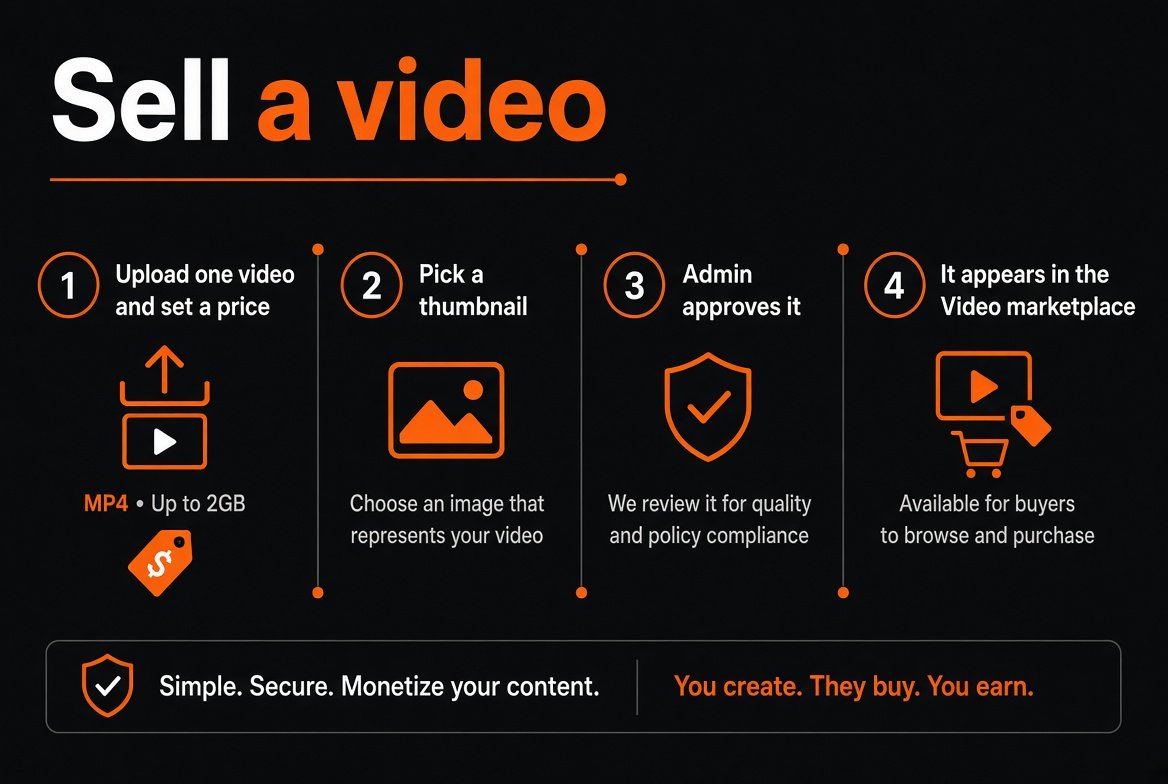
From Videos, use Sell a video. Set a title, description, and price. Staff approve it before it is public. You can re-upload and pick a thumbnail.
In Edit profile, pick I'm a seller. Staff review the request, check your age ID, and can ask for documents or reject it. You stay out of the marketplace until approved.
Upload a selfie, the front of your ID, and the back. Model consent is a separate form. Staff review both. Never submit documents for someone else.
Verified Poster and Verified Seller badges appear next to a username after staff approve them. Badges can be paused.
Use Newest, All galleries, Popular, Top rated, Categories, Tags, Random, and the search box. Open a gallery for the full set.
Open a member to see their galleries, become a fan, add a friend, send a message, start a private chat, or block them.
Direct Payment, crypto, SnapSell, and gift cards show only when staff have enabled them. Gallery sets and single videos can use different buttons.
Buy Bitcoin with cash at a CoinFlip ATM. Start checkout here, copy the Bitcoin address or QR, then at the CoinFlip machine scan that QR and insert cash. CoinFlip sends the Bitcoin to this site. After it confirms, you get the download link.
Paid galleries, videos, and upgrades are final once payment is submitted, except where the law requires a refund.
Crypto checkout is paid in Bitcoin. CoinFlip Bitcoin ATMs are the easy way to buy it with cash and send it here.
Click Pay with crypto on the gallery or video. Copy the Bitcoin address, or keep the QR code on your phone. Note the amount.
Go to coinflip.tech and use the ATM locator. Pick a machine near you. Bring cash and a photo ID. CoinFlip may ask for your phone number.
At the CoinFlip machine, choose buy Bitcoin. Scan this site's checkout QR, or paste the Bitcoin address from checkout. Insert enough cash to cover the price plus the ATM fee. CoinFlip sends the Bitcoin straight to that address.
After you start checkout, the same purchase details are sent three ways: a private message in your inbox, an SMS if you have a phone on your account, and an email. Each one has the item, the amount, the order number, and the wallet address to pay.
Open any one of those messages and copy the wallet address and the amount. At the CoinFlip ATM, scan the QR from checkout or paste that wallet address, then insert cash for the amount plus the ATM fee. CoinFlip sends the Bitcoin to that wallet. Put the order number in the note if the machine asks for one.
Bitcoin can take a few minutes to show up. After it is confirmed, you get the download link by email and in your messages. Keep your CoinFlip receipt until the download arrives.
